Compresión inteligente
Reduce el peso sin pérdida visible, por lotes o con tamaño objetivo exacto.
- Compresor de imágenes
- Lotes
- Tamaño objetivo
- Redimensionar

Optimiza tus imágenes. En tu dispositivo.
36 herramientas de imágenes y PDF — compresión, conversión, edición, EXIF, QR — procesadas 100 % sin conexión, sin cuenta y sin enviar ningún dato. Instala la app desde Google Play o descarga las versiones oficiales.
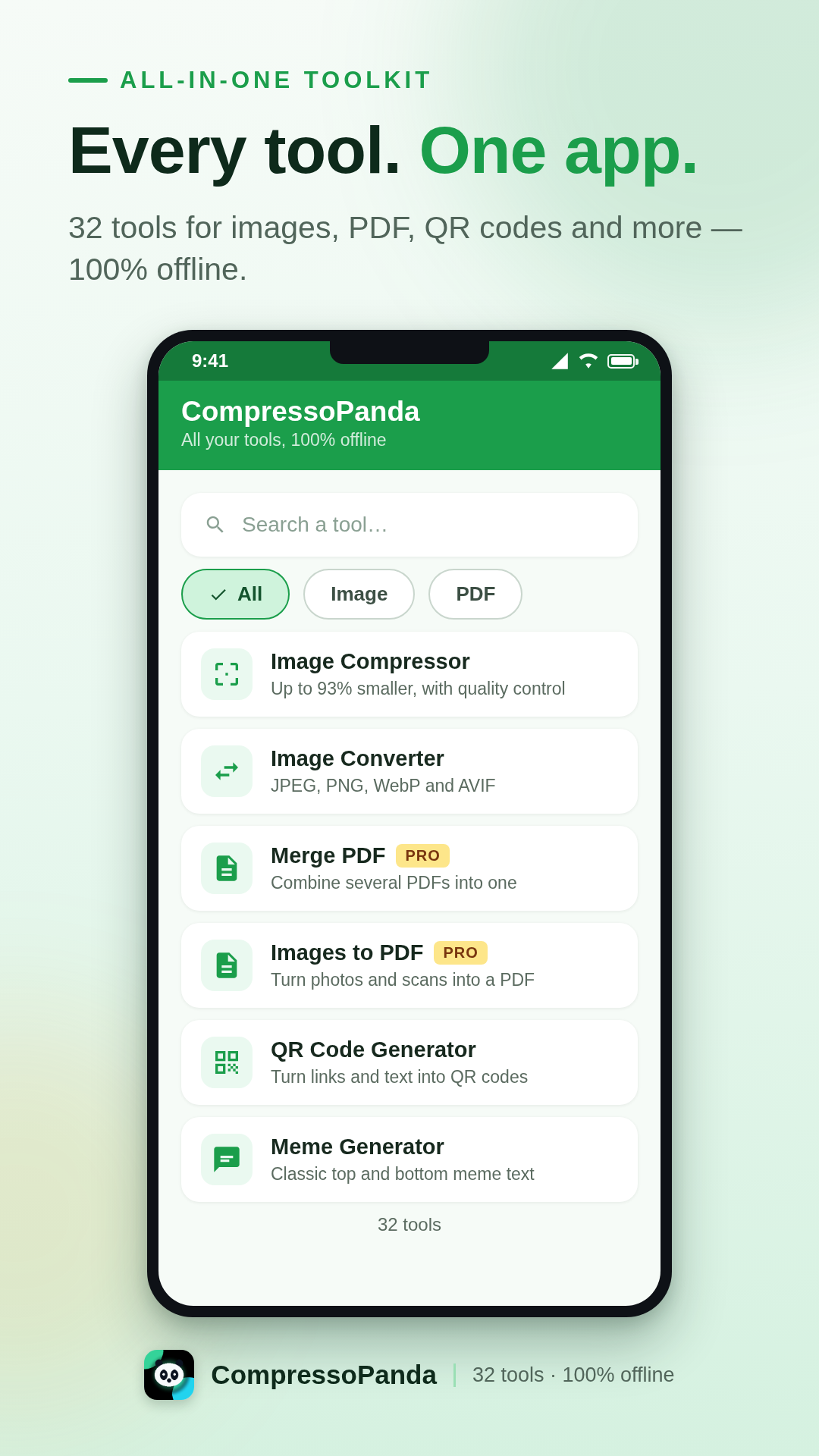
La app Android
CompressoPanda reúne 36 herramientas de imágenes y PDF en una interfaz única pensada para el móvil. Abre, procesa, comparte — en segundos y sin conexión. Tus fotos nunca salen de tu teléfono.
Compresión a peso exacto
Fija un tamaño concreto (p. ej. 100 KB) o comprime decenas de fotos por lotes.
Todos los formatos
JPEG, PNG, WebP, AVIF, SVG, Base64, PDF — conversión inmediata, sin servidores.
Privacidad por diseño
Sin subidas, sin cuentas, sin rastreadores. El procesamiento es 100 % local.
Pensada para todos
9 idiomas incluido el árabe (RTL), interfaz clara, Android 7.0 o superior.
Lo que sabe hacer la app
Cada herramienta funciona al instante, incluso en modo avión. Estas son las seis familias que cubren el día a día.
Reduce el peso sin pérdida visible, por lotes o con tamaño objetivo exacto.
Pasa de un formato a otro con un gesto, sin salir de tu teléfono.
Los gestos esenciales para retocar una imagen antes de compartirla.
Lo imprescindible para domar tus documentos, incluso sin conexión.
Genera visuales y assets sin abrir software pesado de escritorio.
Ninguna foto sale del dispositivo. El procesamiento es 100 % local.
Instalación oficial
La forma más simple y segura de instalar la app: actualizaciones automáticas, verificación de Play Protect y restauración automática en tus dispositivos nuevos.
Gratis · Pro como compra única (4 $)
Producto integrado compressopanda_pro · facturado por Google
Todo lo que necesitas saber antes de instalar CompressoPanda en tu teléfono Android.
Sí. Las 36 herramientas son gratuitas, financiadas con algunos anuncios discretos. El pack Pro (4 $, compra única) elimina la publicidad para siempre y apoya directamente el desarrollo.
Sí, 100 % sin conexión. La compresión, la conversión y la edición ocurren directamente en tu teléfono: ninguna foto se envía a un servidor, ni siquiera en modo avión.
Abre la herramienta «Tamaño objetivo», elige tu imagen e indica el peso deseado (p. ej. 100 KB). La app ajusta la compresión automáticamente hasta alcanzar la cifra — ideal para formularios y adjuntos.
JPEG/JPG, PNG, WebP, AVIF, GIF, SVG, BMP, Base64 y PDF — con conversión de imágenes a PDF y de PDF a imágenes en ambos sentidos.
Usa la herramienta «Metadata»: muestra y borra los datos EXIF (ubicación GPS, dispositivo, fecha) antes de compartir. El procesamiento sigue siendo totalmente local.